Xero may be right for your business if you want cloud-based accounting, automated processes, real-time reporting and software that can grow with you. The best choice depends on your business size, workflows, payroll needs, integrations and budget.
What is Xero accounting software?
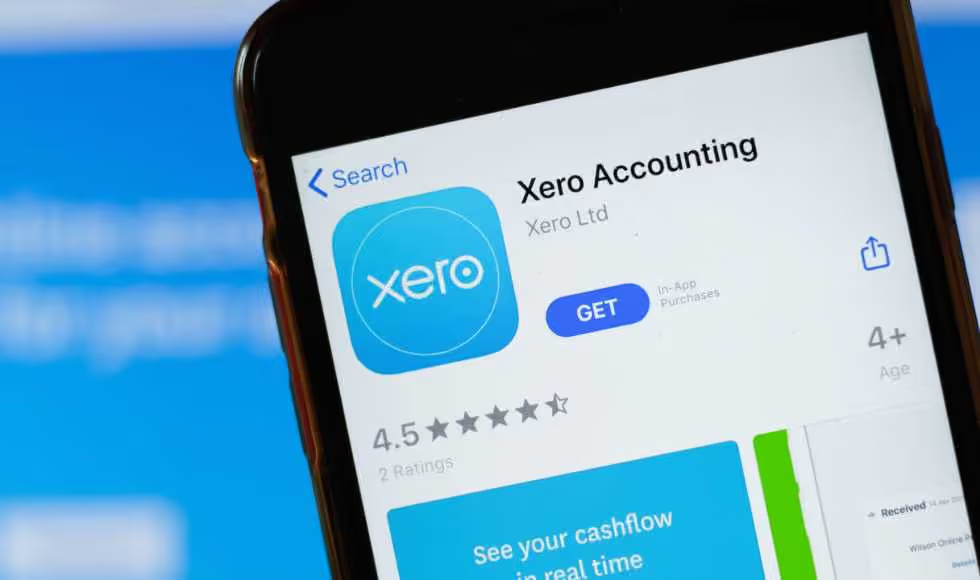
Xero is a cloud-based accounting software for small businesses to manage everyday financial tasks online. It brings invoicing, bills, bank reconciliation, payroll, reporting, and expense tracking into a single platform.
Because your Xero account is hosted in the cloud, authorised users can access current financial information from different locations and devices. It can also connect with banks, payment providers and other business tools to reduce manual data entry.
Why Xero is our accounting software platform of choice
We recommend Xero because it combines accessible cloud-based accounting with automation, real-time reporting and a broad range of integrations. When configured around your business, it can simplify financial management, improve visibility over performance and support more informed decision-making as you grow.
User-friendly, cloud-based accounting
Xero is designed to make everyday accounting easier to manage without relying on desktop software. Business owners, employees, bookkeepers and accountants can access the same Xero account online, subject to their permissions.
Its straightforward interface helps users manage common accounting tasks while maintaining a clearer view of business finances. Because information is stored in the cloud, updates are available across connected devices without exchanging files or working from different versions of the accounts.
Accessibility, automation and real-time reporting
Xero can automate tasks such as importing bank transactions, sending invoice reminders and matching payments. This reduces repetitive data entry and gives business owners more time to focus on operations and growth.
Current financial information also supports more useful reporting. Rather than waiting until the end of a quarter or financial year, you can review cash flow, income, expenses and other performance indicators throughout the month.
Integrations and add-ons
Xero connects with a wide range of business tools, including payment platforms, inventory systems, point-of-sale software and job management programs. These integrations can help information move between systems and reduce duplicate work.
The right add-ons depend on your industry and internal processes. A considered setup is important, as adding too many disconnected tools can make your accounting system more complicated rather than more efficient.
Understanding Xero’s features
Xero brings core accounting tasks into a single online platform, helping business owners manage transactions, employees, and financial reporting more efficiently. The features available depend on your subscription plan, so it is important to match the software to your day-to-day needs and future growth.
Invoicing, bills and bank reconciliation
Xero allows you to create and send invoices, record supplier bills and track what is due. Bank feeds can bring transactions into your account, where they can be matched against invoices, bills and other records.
Bank rules and reconciliation tools can reduce repetitive data entry, but transactions should still be reviewed to maintain accurate records. Keeping this information current gives you a clearer view of outstanding payments, upcoming expenses and available cash.
.svg)
Payroll and employee management
Xero Payroll can help Australian businesses calculate employee pay, manage leave, produce payslips and maintain payroll records. Depending on the selected Xero pricing plan, limits may apply to the number of employees included.
Payroll setup needs to reflect your employment arrangements, pay schedules, superannuation obligations and reporting requirements. A well-configured system can make regular pay runs more efficient, but it does not remove the need for accurate employee information and appropriate oversight.
Reporting, dashboards and mobile access
Xero provides dashboards and financial reports that help business owners monitor areas such as cash flow, profit and loss, unpaid invoices and expenses. When transactions are entered and reconciled regularly, these reports can provide more useful visibility throughout the month.
The Xero Accounting app also allows authorised users to complete selected tasks and review financial information while away from their desk. The value of these tools depends on maintaining accurate data and configuring reports around the measures that matter to your business.
Security and user access
Xero uses security measures, including encryption, multi-factor authentication and network security controls, to protect account information. Businesses can also give users different levels of access based on their responsibilities.
These controls should be supported by strong internal practices. Only provide access employees or advisers need, review permissions when roles change and remove users who no longer require access. Multi-factor authentication should also be enabled and used correctly by everyone accessing the account.
Get help choosing and setting up Xero
Choosing the right accounting software is only the first step. The way Xero is set up, connected and maintained will influence the quality of your reporting and the value it provides as your business grows.
Liston Newton can help you assess whether Xero suits your business, select the right plan, migrate your data, and configure the platform to suit your workflows. Our team can also help you connect suitable integrations, improve reporting and build a clearer view of your financial performance.
Using Xero for project management and job tracking

Xero can help service-based businesses track the financial side of projects, including time, costs, invoices and profitability. Businesses that also need scheduling, dispatch, inventory or field-service tools may benefit from connecting Xero with a dedicated job management system.
Xero Projects and job cost tracking
Xero Projects helps businesses track the time and costs associated with individual jobs. Users can record employee hours, assign expenses to a project, prepare invoices and compare actual costs with estimates to assess profitability.
This can be useful for consultants, contractors and other service businesses that need straightforward job costing within their accounting platform. Accurate time and cost allocation also helps business owners review margins and make more informed pricing decisions on future work.
However, Xero Projects is primarily a financial project-tracking tool. Businesses with more complex operational requirements should first confirm whether it offers the scheduling, resource planning and workflow functions they need.
Job management systems that integrate with Xero
A dedicated job management system may be more suitable when a business needs to manage quoting, staff scheduling, dispatch, job progress, inventory, site information or customer communication.
These systems can integrate with Xero so that relevant data, such as contacts, invoices, payments, employee time and expenses, moves between platforms. This can reduce duplicate data entry and create a clearer link between completed work and financial performance.
The right integration depends on your industry, team size and existing processes. Tradies may consider platforms built for field-service workflows, while professional service businesses may need stronger resource planning, forecasting or project reporting. Before choosing an add-on, confirm:
- which information syncs with Xero
- whether the integration is one-way or two-way
- how errors and duplicate records are handled
- whether it supports your payroll, invoicing and reporting processes
- the combined subscription and setup costs
A well-planned integration should simplify the workflow rather than add another disconnected system. Xero also advises businesses to assess each app’s performance, quality and suitability before adopting it.
Xero vs MYOB: which accounting software is right for your business?
Xero and MYOB both support essential accounting tasks, including invoicing, payroll, bank reconciliation, reporting and GST management. The better option depends on your business structure, employee numbers, inventory needs, preferred integrations, and the level of operational complexity the software must handle.
Key differences between Xero and MYOB
Both platforms cover many of the same core accounting functions, but their plans, inclusions and user experience differ. Xero offers features such as online invoicing, bank feeds, bill management, reporting, payroll, project tracking and app integrations, with access varying by plan.
MYOB also provides invoicing, payroll, financial reporting, inventory, job tracking, timesheets and multi-currency accounting across its product range. Some of its more advanced options are designed for established businesses managing stock, multiple locations, jobs or currencies.
This comparison should be treated as a starting point rather than a universal verdict. Features and plan inclusions change, so the decision should be based on your current requirements and expected growth.
When another accounting package may be more suitable
Xero may not be the right choice when your business requires highly specialised inventory, manufacturing, enterprise resource planning or industry-specific operational tools. Another accounting package may also be more practical when your team is already working effectively within an existing system, and the benefits of changing do not justify the migration cost or disruption.
Consider another option when:
- required features are unavailable or need several paid add-ons
- your payroll or employee numbers make another plan more economical
- complex inventory is central to your operations
- existing systems integrate more effectively with another platform
- your team needs functions beyond accounting and basic project tracking
- migrating historical data would create more risk than value
The goal is not to choose the accounting software with the longest feature list. It is about selecting a system that provides reliable information, supports efficient processes, and remains appropriate as your business develops.
How much does Xero cost?
Xero’s cost depends on the subscription plan, number of employees and users, and whether you need features such as expenses, project tracking or connected apps. Compare the full ongoing cost rather than choosing a plan based only on its monthly subscription fee.
Xero subscription plans and inclusions
Xero offers several pricing plans for Australian businesses, with inclusions increasing across each level. At the time of writing, its main small business plans include Grow, Comprehensive and Ultimate 10. Xero also offers an entry-level Ignite plan for businesses with more limited invoicing and bill-management needs.
Current standard pricing, features, and promotional offers are subject to change. Xero states that Australian prices include GST and subscriptions renew monthly until cancelled, so businesses should confirm current plan details before signing up.
Additional costs for payroll, projects and integrations
The subscription price may not represent the full cost of using Xero. Additional charges can apply when your business exceeds the number of payroll employees, expense users or project users included in its plan. Online invoice payment providers and some bank feeds may also charge separate fees.
You may also need to budget for:
- third-party apps and integrations
- data migration and account conversion
- initial software configuration
- payroll and reporting setup
- employee training
- bookkeeping or ongoing support
- custom dashboards and workflow automation
Before choosing an Xero pricing plan, map the features your business currently uses and those it may need as it grows. This helps avoid selecting a cheaper plan that later requires several paid add-ons or creates inefficient workarounds.

Look beyond the monthly subscription
Compare the total cost of the accounting system, including setup, payroll, integrations and staff time. A properly configured plan may cost more upfront but provide better value by reducing duplicated work and giving you clearer financial information.
How to decide if Xero is right for your business
Xero may be a good fit when its features align with your business processes, reporting needs and growth plans. Before choosing a plan, consider how your team works, which systems need to connect, and whether the platform will provide clearer, more reliable financial information.
What to ask when choosing accounting software
Before you use Xero or another accounting platform, define what the system needs to achieve. A clear requirements checklist can prevent you from paying for unnecessary features or choosing software that creates extra manual work.
Ask:
- Which accounting tasks do we want to simplify or automate?
- How many employees, payroll users and software users do we need?
- Do we require project tracking, inventory or multi-currency reporting?
- Which existing tools need to be integrated with the accounting platform?
- What financial reports do owners and managers need?
- Can the system support additional users, entities or locations?
- What will setup, migration, training and ongoing support cost?
- Who will manage the account and review the accuracy of the data?
It is also worth involving your accountant or adviser before making a final decision. They can help assess whether the software will support compliance requirements and provide the information needed for forecasting and strategic planning.
Which businesses benefit most from Xero?
Xero for small business may be particularly useful for organisations that want online access, automated bank feeds, collaborative financial management and a broad choice of integrations.
It commonly suits:
- sole traders and small businesses managing routine accounting tasks
- professional service firms tracking time, expenses and projects
- growing businesses that need stronger reporting and payroll functions
- tradies connecting Xero with job management software
- businesses with remote teams or multiple authorised users
- owners who want their bookkeeper, accountant and internal team working from the same data
The platform may be less suitable when a business requires complex manufacturing, advanced inventory control, or highly specialised industry software that Xero and its integrations cannot efficiently support.
Can Xero grow with your business?
Xero can scale with many businesses by allowing them to move between subscription plans, add users and connect additional tools as their needs change. This can support growth without requiring an immediate move to a completely different accounting system.
However, growth can also introduce more complex payroll, reporting, inventory, entity and operational requirements. Review your Xero setup regularly to ensure the account structure, integrations and workflows still suit the business.
Software should help you gain clarity around your numbers rather than become a collection of disconnected apps and manual workarounds. Planning the setup around your longer-term goals can make it easier to adapt the system as the business develops.
How to set up a Xero account
To get started with Xero, choose a subscription that suits your business, create your organisation, and configure your account to align with your financial processes. Careful setup helps Xero software generate more reliable reports, automate routine tasks and provide real-time visibility over your company’s performance.
Use this checklist when creating your Xero account:
- 01
Compare accounting software options
Review Xero’s features, subscription inclusions and costs against your business requirements. Consider payroll limits, project tracking, integrations and the number of users you need.
- 02
Create your organisation and financial settings
Enter your business details, Australian Business Number and financial year, then configure your chart of accounts, GST basis, tax rates, reporting preferences and invoice settings.
- 03
Connect your bank accounts
Add your business bank accounts and enable available bank feeds. Xero’s reconciliation tools can help match imported transactions with invoices, bills and other records.
- 04
Set up invoicing, bills and payroll
Personalise invoice templates, payment details and bill approval processes. If payroll is included in your plan, add employee details, pay calendars, leave entitlements, earnings rates and superannuation information.
- 05
Add users and connect business systems
Invite employees, bookkeepers and advisers with appropriate permissions. Connect relevant payment, inventory, project, property or job management tools to support your workflows.
- 06
Test and regularly review your setup
Run sample transactions and check invoices, payroll, GST, reports and bank reconciliation. Establish a regular schedule for reconciling transactions, checking data quality and reviewing financial reports.
Migrating your business data to Xero
Moving from another accounting package to Xero requires accurate data, a clear conversion date and careful reconciliation. The migration may include your chart of accounts, customer and supplier records, unpaid invoices, outstanding bills, payroll information, fixed assets and account balances.
A typical migration process includes:
- reviewing and cleaning the existing accounting data
- selecting an appropriate conversion date
- exporting records from the current system
- configuring the new Xero account
- importing opening balances and historical information
- checking bank, GST, payroll and control account balances
- testing reports against the previous system
- retaining required historical records
One advantage of changing software at the start of a financial year is that it can simplify the handling of opening balances and reporting. However, businesses can move to Xero at other points in the year when the conversion is properly planned.
A potential disadvantage is that poor-quality source data can carry old errors into the new platform. There may also be a period of disruption while employees learn the new system. These cons can be reduced through data checks, user training and professional migration support.
For a large business or company with several entities or operations using multiple integrations, the setup may need to be completed in stages. The priority should be creating a dependable accounting platform rather than moving every historical record without considering whether it is still useful.
What is an Xero Platinum Partner?

A Xero Platinum Partner is an accounting or bookkeeping practice that has reached Xero’s highest partner status. The tier reflects the firm’s level of activity on the Xero platform and provides access to additional partner benefits, tools, and support.
How a Xero Platinum Partner can help your business
A Xero Platinum Partner can help you get started with Xero, migrate existing data and configure the platform around your business. Rather than applying a standard setup, an experienced adviser can assess your workflows, reporting needs and growth plans before recommending the right approach.
Support may include:
- comparing Xero plans and accounting software options
- setting up the chart of accounts, GST and reporting
- migrating data from another platform
- configuring payroll, invoicing and bank feeds
- connecting Xero with job, payment or project systems
- training employees and assigning user permissions
- reviewing data quality and resolving setup issues
- building reports for cash flow, performance and planning
One of the key benefits of Xero is that it can bring current financial information into a shared cloud-based system. When the data is accurate and reconciled regularly, Xero provides real-time visibility to support stronger conversations with your accountant and more proactive decision-making.
However, the software alone does not provide strategic advice. Xero makes financial information easier to access, but an adviser helps interpret what the numbers mean for your business. This can include identifying margin pressure, cash flow risks or performance trends that may lead to changes in pricing, spending or growth plans.
For businesses in Australia, working with an experienced Xero adviser can also help align the system with local payroll, GST and reporting processes. The main advantage is not simply access to more Xero features, but having a platform configured as part of a broader financial management solution.
Table of contents