
Key Takeaways
- Cloud accounting provides online access to financial data and can improve collaboration, automation and reporting.
- Compare Xero and MYOB against your workflows, integrations and future needs before deciding to switch.
- Good preparation is essential for a smooth MYOB to Xero conversion.
- Clean and reconcile your data before migrating, then check balances, accounts and integrations afterwards.
- An experienced Xero conversion partner can help manage the migration and configure Xero around your business.
What is cloud accounting?

Cloud accounting uses online software to manage your business finances and store accounting data securely in the cloud. Instead of relying on files saved to one computer, authorised users can access financial information online from compatible devices.
Platforms such as Xero can bring invoicing, expenses, bank reconciliation, payroll, and reporting into a single system. Liston Newton's Xero bookkeeping services can also help businesses set up, migrate and optimise Xero as their accounting needs evolve.
If you're considering changing from MYOB to Xero, understanding the benefits of cloud accounting first can help you decide whether a conversion will genuinely improve your processes.
Cloud accounting vs traditional accounting software
The main difference is how your accounting software and data are accessed and maintained.
| Cloud accounting | Traditional accounting |
|---|---|
| Accessed online | Often installed on specific computers |
| Data stored in the cloud | Data may be stored locally |
| Multiple authorised users can collaborate | File sharing may be more manual |
| Updates can be applied automatically | Updates may require manual installation |
| Can integrate with other online business tools | Integration options depend on the software |
| Accessible from compatible internet-connected devices | Access may depend on the device or network |
Cloud accounting can be particularly useful when your accountant, bookkeeper and internal team need to work with the same financial information.
For example, Xero currently supports online collaboration between businesses, employees and advisors using the same up-to-date financial data.
However, moving to the cloud is not automatically the right choice. Your existing systems, integrations, reporting requirements, team and conversion costs should all be considered before changing platforms.
Make informed accounting decisions
Converting to Xero can make your financial records easier to manage and support more efficient tax reporting. Book a free strategy session to talk about your bookkeeping needs.
What are the benefits of cloud accounting?
Access your financial data anywhere
Cloud accounting gives authorised users access to financial data from compatible internet-connected devices. Instead of relying on files stored on one computer, you can view invoices, expenses, bank feeds and reports when you need them.
A central dashboard can also provide an overview of key figures, helping you keep track of your organisation while working from different locations.
Real-time data and improved collaboration
Cloud software can connect your business, bookkeeper and accountant to the same financial information. When transactions are updated and accounts are regularly reconciled, everyone can work from more current data.
This makes it easier to review cash flow, answer a customer query or plan ahead without exchanging multiple versions of spreadsheets and accounting files.
Automation, integrations and reduced paperwork
Cloud accounting can automate repetitive tasks and connect with other business systems. Depending on your subscription and setup, this may include bank feeds, invoicing, payroll, payments and inventory tools.
For example, importing transactions from your bank can reduce the need to manually enter information from bank statements. These efficiencies can save time and reduce paperwork as your business grows.
Security and automatic backups
Cloud accounting providers typically use security controls and backups to protect customer data. This reduces reliance on a single computer or local file and can make recovery easier if hardware is lost or damaged.
According to Xero, its platform uses encryption, multi-factor authentication and security monitoring to protect customer information. Automatic online backups also mean businesses do not need to manage their own local backup process.
A secure setup is still essential. Ensure users have appropriate access, use strong authentication and review permissions as your team changes.
Should I convert from MYOB to Xero?
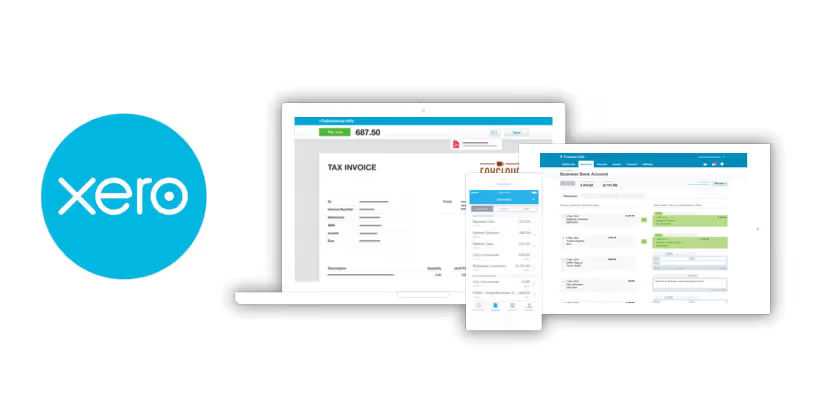
There is no one-size-fits-all answer when comparing Xero and MYOB. Both offer cloud accounting features for Australian businesses, so the decision should depend on your current setup, future needs and whether switching would improve your workflow.
Reasons to consider switching to Xero
An MYOB-to-Xero conversion may make sense if Xero provides a better fit for how your team works or where the business is headed.
Common reasons include:
- A simpler interface for your team
- Integrations with preferred third-party apps
- Easier collaboration with your accountant or advisor
- Automated bank feeds and reconciliation
- Reporting that provides a clear overview of performance
- A Xero subscription that better suits your requirements.
Before switching, identify which functions you actually want to improve. For example, if you manage multiple bank accounts, inventory or more complex reporting, compare how each platform handles these needs rather than changing software for speed or convenience alone.
When staying with MYOB may make sense
Staying with MYOB can make sense if it already supports your accounting needs and integrates smoothly with your existing systems. MYOB currently provides bank feeds, payroll, inventory, reporting and other features across its Australian business products, although availability varies by plan.
Migration also requires preparation. Your chart of accounts, contacts, trial balances, historical data, bank accounts and third-party integrations may need to be reviewed as part of the conversion.
A useful tip is to compare the benefits of moving against the time, cost and disruption involved. If Xero solves clear workflow or reporting problems, conversion may be worthwhile. If it simply replaces a system that already works well, staying with MYOB may be the better solution.
How to convert from MYOB to Xero
A successful MYOB to Xero migration starts with preparation. Following a clear conversion process can help protect your data, minimise disruption and get your new Xero account working smoothly.
- 01
Decide when to make your Xero conversion
Choose a date that gives you enough time to prepare and check the converted data. A quieter period, such as after month-end or the financial year, may make the transition easier.
Consider payroll, BAS deadlines and other important reporting dates before scheduling the move.
- 02
Define what you want to achieve
Identify why you are moving from MYOB to Xero and what needs to improve. This could include reporting, bank reconciliation, integrations, automation or collaboration.
Use these priorities to choose your Xero subscription, required apps and the data you need to migrate.
- 03
Complete outstanding business tasks and clean your data
Clean data can make the conversion smoother. Before migrating:
- Reconcile your bank accounts
- Review outstanding invoices and bills
- Remove duplicate or unused contacts
- Review your chart of accounts
- Check payroll and employee records
- Confirm trial balances
- Decide how much historical data to retain.
This preparation also gives you an opportunity to streamline your accounting setup rather than carrying unnecessary information into Xero.
- 04
Work with a conversion partner
An experienced Xero Partner can help plan the migration, identify technical requirements and check which information can be transferred.
Depending on your MYOB file and conversion requirements, tools such as Jet Convert may be used to transfer data into the required Xero format. Liston Newton can also help with Xero setup, integrations and training after the conversion.
- 05
Complete a post-conversion checklist
Before relying on the new system, check that your financial information has transferred correctly.
Your MYOB to Xero conversion checklist should include:
- Opening and closing balances
- Chart of accounts
- Customer and supplier details
- Outstanding invoices and bills
- Bank account balances and feeds
- Payroll information
- GST and tax settings
- Third-party app connections.
Once these checks are complete, reconcile your accounts and test your key workflows. This final step helps ensure your business can start using Xero with confidence.
Get help converting your business to Xero with Liston Newton
Liston Newton can help you plan and manage your MYOB-to-Xero conversion, from preparing your data to setting up the new system. As a Xero Platinum Partner, our team combines accounting expertise with practical Xero knowledge to help ensure a smooth transition and minimise disruption.

Experienced Xero support
Get support from a team experienced in Xero setup, migration and ongoing accounting.

End-to-end conversion
We can help prepare your data, manage the conversion and check your new Xero setup.

Set up around your business
Your accounts, bank feeds, apps, and workflows can be configured to match how your business operates.

Ongoing accounting expertise
Our support goes beyond conversion, with accounting and advisory services available as your business evolves.
Table of contents